 Devoria
iOS course: build your first app and get it ready to publish
This iOS course for beginners has no throwaway exercises: the course material is your own app. With the iOS Kit, you learn by building it with AI, from idea to submission to Apple, in four self-paced steps. There are no live classes: everything is written, and the Discord stays open for help.
By Mehdi Azizi · Reviewed on
What you'll learn
- The starter code from my apps
- Expo and React Native: accounts, paywall and subscriptions, AI, onboarding, 8 languages. The foundations to launch an app that can sell.
- A written path, step by step
- Four steps, from idea to App Store, with the Claude Code skills for each step. You work on your project, at your own pace.
- Review, screenshots and listing
- The Apple Review, App Store Screenshots and ASO kits are included, to prepare your submission to Apple.
- Code with AI and stay in control
- If you use AI, you learn to ask it for code, review it and fix it, so you understand what your app does.
- A kit that stays yours
- 1 year of updates included: new Expo versions and new styles. Without renewal, you keep the last version you received.
Step by step
- Step 1
You get the kit: Instant download after payment.
- Step 2
You follow the path step by step, at your own pace, with the Claude Code skills for each step.
- Step 3
Before submitting, you check your App Store submission with the Apple Review Kit.
- Step 4
Then you send your app to Apple, and the Discord stays open for help.
Swift or React Native: choose based on your goal
The kit uses React Native and Expo. You learn to build an iPhone app, check how it behaves and prepare it for distribution. It's not a Swift or SwiftUI program: if your goal is to join a team hiring for those technologies, compare programs on that point before choosing.
If your goal is your own app, start by writing the core flow and what needs to work offline. The tech choice should serve that need. A very iOS-specific feature may need native code and more time than the standard path.
How to know you're really making progress
At each step, look for something you can show: a one-page brief, a feature usable on your iPhone, a test purchase with its entitlements, then a complete App Store submission. Reading a step or generating code doesn't mean you've completed it.
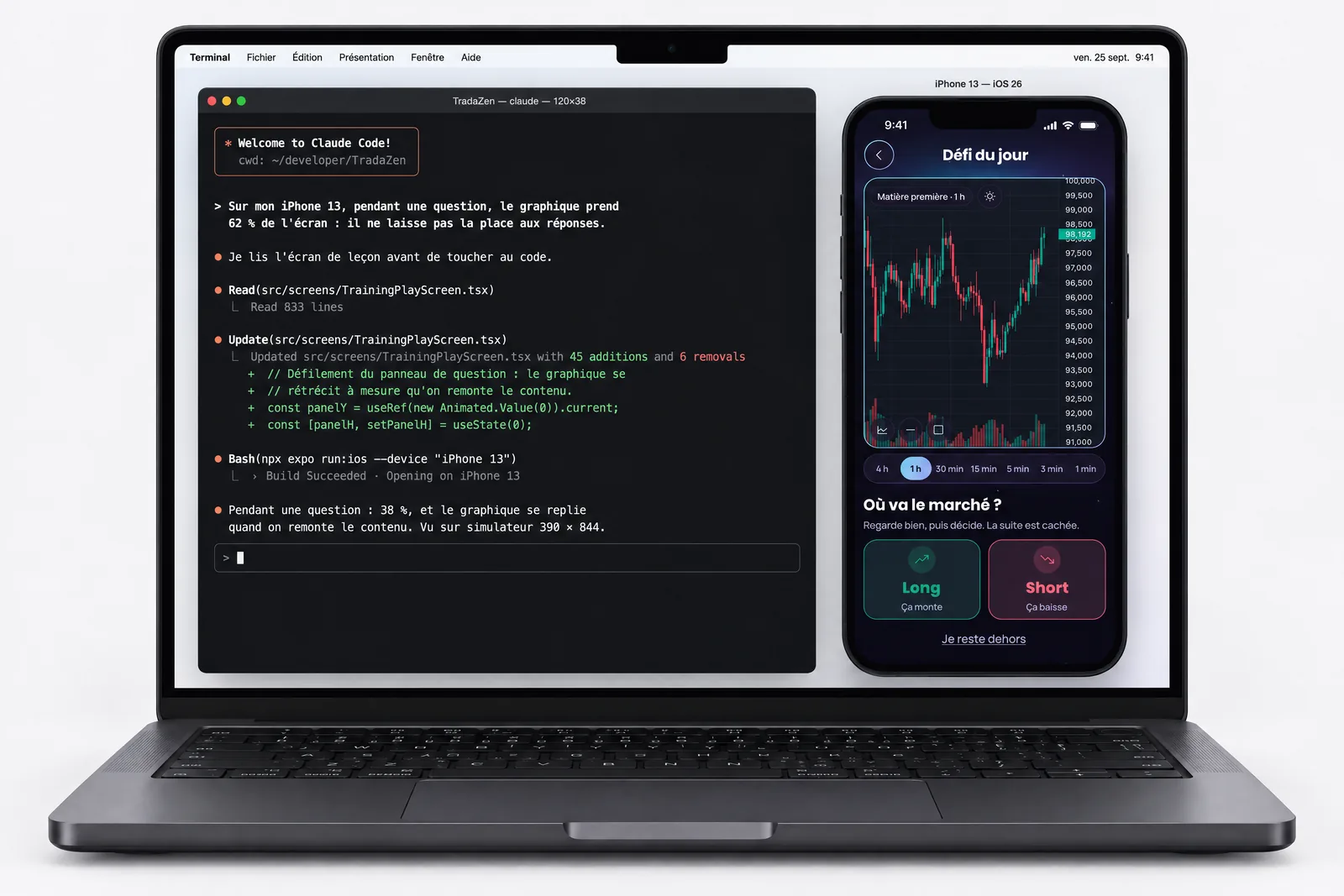
The TradaZen case gives a concrete benchmark: first commit on June 21, first TestFlight on June 25, release on July 17, then product changes. Those 26 days belong to that project; they don't predict your timeline.
iOS course: a degree or a published app?
Most iOS courses prepare you for a job: degree programs, CPF-funded bootcamps, few-day Swift workshops for employees. If your goal is a salaried developer job, those are good choices.
This one aims elsewhere: for you to publish your own iPhone app, with a subscription, and know how to do it again on your own. It doesn't award a degree and isn't CPF-eligible. In return, you don't spend months on exercises: everything you learn goes straight into your app.
What you can do by the end
Pick an app idea that can sell and cut it down to one core feature. Build that feature with React Native and Expo, with or without AI, and test it on your iPhone with TestFlight.
Create your subscriptions in App Store Connect, connect them to your app with RevenueCat and place a paywall at the right moment. Prepare an App Store listing and review submission that avoid the most common rejections, then send your app to Apple.
Requirements for this iOS course
An iPhone, a computer, Claude Code or Cursor, and time each week. A Mac is recommended, not required: iOS builds happen in the cloud. No programming knowledge needed to start.
To publish, you'll need to join Apple's developer program, $99 a year. Apple bills it, not Devoria.
Why learn with me
Teaching means having walked the path yourself, and walking it again. I publish my own iOS apps: Solys, TradaZen, Nolera, and Vigie are on the App Store, another one in review at Apple. Apple rejections, subscriptions, screens that break on a small iPhone: I run into them on my own projects. That's the practice I pass on, not a recited course.
Read the TradaZen story, from building it to Apple's rejections and launch.
Start with the free guides
FAQ
How is this different from a regular video course?
You don't watch videos: you build your own app from the starter code of my apps, with a written path and the Claude Code skills for each step. If you get stuck, the Discord stays open for help.
How much time do I need?
It depends on your pace and your app: there's no set schedule. Plan time each week to work on your project. Consistency matters more than long days.
How much is the course?
€129.99, one time, with 1 year of updates included, then €49.99 a year if you want to keep going. Without renewal, you keep the last version you received.
Can a real person look at my app?
Yes, outside the kit: One hour with me, a one-hour video call with screen sharing, on your app or your Claude project, for €100. The kit itself is self-paced, with no live classes.
Is the kit available right away?
The iOS Kit is available. Instant download after payment.

iOS Kit
The starter code behind my apps, the step-by-step path with the messages to give Claude, and every kit. Claude starts from an app that already runs. €129.99.